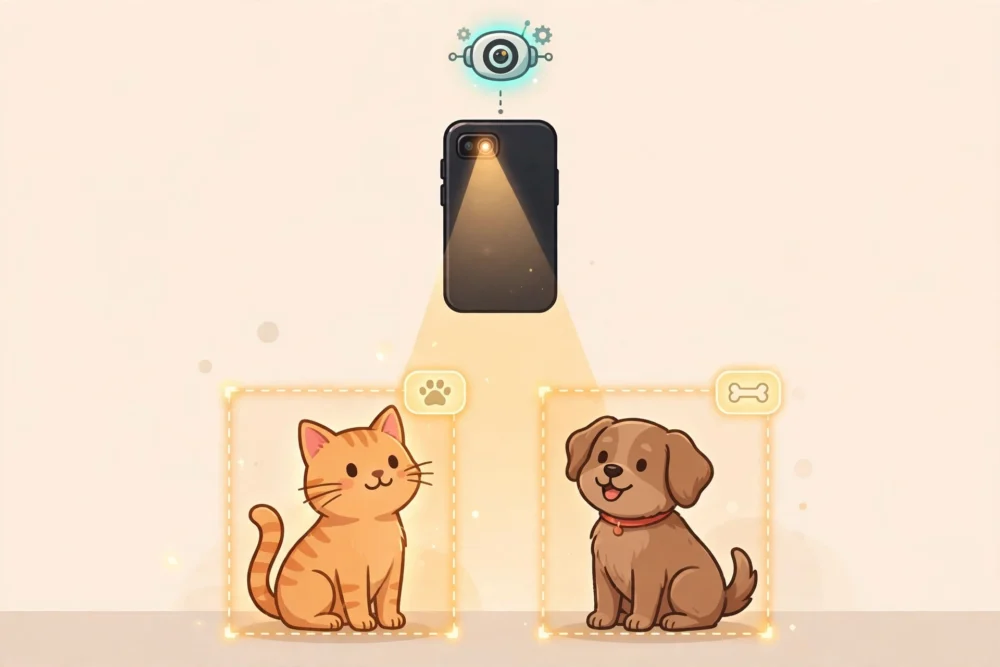
What Is Computer Vision, in Plain English?
Computer vision is the part of artificial intelligence that lets a machine look at a picture or a video and understand something about what it shows. Not just store the image, the way a camera does, but make sense of it: this is a cat, that is a road sign, this person is smiling, that box on the shelf is out of stock.
You already meet it every day, usually without noticing. When your phone unlocks because it recognises your face, that is computer vision. When your photo app finds every picture of your dog without you tagging a single one, that is computer vision. When a supermarket self-checkout camera works out what you placed on the belt, that is computer vision too. It is quietly doing the job of eyes, and a small part of the job of a brain, for machines that have neither.
The simplest way to think about it is this: a human looks at a scene and instantly knows what is in it. A computer looks at the same scene and sees only numbers. Computer vision is the set of techniques that turns those numbers into meaning — into labels, boxes, counts, and decisions a machine can act on.
That last part matters. Computer vision is not only about understanding. It is about understanding well enough to do something useful: unlock a door, count cars at a junction, flag a suspicious lump on a scan for a doctor to look at, or warn a driver that a pedestrian has stepped into the road. The understanding is the means; the useful action is the point.
It is also worth saying early what computer vision is not. It is not a machine that sees the way you see. You see a dog and you know it is a dog because you have a lifetime of experience with dogs — their shape, their movement, their bark, the way they look at you. A computer vision system knows a dog only as a pattern it has been shown many times before. It has no idea what a dog feels like, what it is for, or why you love yours. It matches patterns. When the patterns are clear, it can be remarkably accurate. When they are not, it can be confidently wrong, and that gap between pattern-matching and real understanding runs through everything in this guide.
This guide explains computer vision from the beginning. No coding, no maths beyond simple numbers, no assumed knowledge. By the end you will know how machines turn pictures into numbers, how they learn from examples, where the technology shows up in ordinary life, where it fails, and how to judge the claims companies make about it. If you have read our explainers on machine learning and on AI models, some ideas here will feel familiar — computer vision is one of the most visible uses of both. If you have not, nothing here depends on them.
How Is Computer Vision Different From Just Taking a Photo?
A camera takes a photo by recording light. A computer vision system takes that photo and asks questions about it. The difference is the difference between owning a book and having read it.
Consider a photo of a street. A camera records it as a file, perhaps a few million pixels, and stores it. It does not know whether the street is busy or empty, whether the traffic light is red or green, or whether a child is about to run into the road. All of that information is in the picture, but the camera has not extracted any of it. A computer vision system processes the same file and produces answers: there are three cars, two pedestrians, one bicycle, the traffic light is red, and a person is crossing at the far corner. Same image, very different outcome.
It also works at a scale and speed no person can match. A human can look carefully at a few hundred photos in a day. A computer vision system can scan thousands of images a minute, never gets tired, and never gets bored. That is why it is used for jobs that involve huge numbers of images: sorting millions of photos, checking every product on a factory line, reviewing hours of security footage, or examining thousands of medical scans. The machine does the fast first pass; a human, in the best systems, checks the important or uncertain cases.
How Do Machines “See”? Pixels First
To understand computer vision, start with what a machine actually receives when it “looks” at an image. It does not receive a picture. It receives a grid of numbers.
Imagine a photograph divided into a grid of tiny squares, called pixels. A typical phone photo might be 4,000 pixels wide and 3,000 pixels tall — twelve million tiny squares. Each square has a colour, and a computer records that colour as numbers. In the most common system, each pixel gets three numbers, one each for red, green, and blue, and each number runs from 0 to 255. A bright red pixel might be recorded as 255 for red, 0 for green, and 0 for blue. A white pixel would be 255, 255, 255. A black pixel would be 0, 0, 0. Every shade in between is a different combination.
So a photograph of a cat, to a computer, is a table of millions of numbers. There is no cat in the table. There is no fur, no whiskers, no tail. There is only a pattern of numbers that happens to correspond to a cat when a human eye and brain interpret it. The entire job of computer vision is to bridge that gap: to start from a table of numbers and end up with a statement a person would recognise as true, such as “this is a cat.”
That is a harder job than it sounds, because the numbers change with almost everything about the scene. The same cat photographed in bright sunlight and in a dim room produces very different numbers. The same cat from the front and from behind produces very different numbers. A black cat on a dark sofa and a white cat on a white bed produce very different numbers again. A human adjusts for all of this without thinking. A machine must be taught, through examples, which variations matter and which do not.
It helps to think of the numbers as the raw material, not the finished product. A pile of bricks is not a house, and a grid of pixel numbers is not a picture. Computer vision is the construction work: combining the raw material step by step until something meaningful stands up.
From Pixels to Meaning: Features, Patterns, and Decisions
If pixels are the raw material, the next step is to find features — the small, useful clues inside the image that help tell one thing from another.
A feature is any pattern in the pixels that carries information. An edge, where a dark area meets a light area, is a feature. A corner, where two edges meet, is a feature. A patch of a particular colour or texture is a feature. In a photo of a cat, the curve of an ear, the shape of a whisker, or the pattern of stripes on fur could all be features. On their own, none of them proves anything. Together, in the right arrangement, they add up to strong evidence.
Early computer vision systems, built before modern machine learning, relied on features that engineers designed by hand. A programmer would write rules: look for edges at these angles, look for circles of this size, look for patches of this colour. This worked for simple, controlled jobs — reading a printed barcode, for example, or finding a coin of a known size on a plain background. It failed quickly when the real world got messy, because the real world has far more variety than any list of hand-written rules can cover. A cat can be any colour, any size, in any position, in any light. No list of rules captures all of that.
Modern computer vision works differently. Instead of a person writing the rules, the system learns the features from examples: it is shown thousands or millions of labelled images and gradually works out for itself which patterns in the pixels tell them apart. The features it learns are often not ones a human would describe. What matters is whether they reliably separate one category from another on new images. This learning happens in layers: the first layers learn edges and corners, the next combine them into curves and parts such as an ear or a wheel, and later layers combine those parts into whole objects. Nobody tells the system that an ear is part of a cat — it discovers from the examples that certain combinations tend to appear together in images labelled “cat.”
This learning happens in layers. The first layers of a system typically learn very simple things: edges, corners, and small patches of colour. The next layers combine those simple things into slightly more complex ones: curves, outlines, parts of objects, like an ear or a wheel. Later layers combine those parts into whole objects: a face, a car, a dog. It is a little like building with toy bricks — small pieces first, then assemblies, then the finished model. Nobody tells the system that an ear is part of a cat. It discovers, from the examples, that certain combinations of edges and curves tend to appear together in images labelled “cat” and not in images labelled “dog.”
The final step is a decision. After all that processing, the system produces an answer in the form the task requires: a label such as “cat” with a confidence score, a box around each object it found, a count, or a yes-or-no answer. The journey is the same in every case: pixels, features, patterns, decision. Note that a confidence score of 94 percent does not mean the system is 94 percent sure in the human sense — it means its internal arithmetic produced a high score for “cat.” A system can be 99 percent confident and completely wrong.
How a Computer Vision System Learns: The Cat and Dog Example
The best way to understand how computer vision learns is to follow one concrete example from start to finish. Let us take the classic beginner task: teaching a system to tell cats from dogs in photographs.
Step 1: Collect the examples
Everything starts with data. Someone — often many people, over a long time — gathers photographs of cats and photographs of dogs, and labels each one correctly. This labelled collection is called the training data, and its quality decides almost everything that follows. If the labels are wrong, the system learns the wrong thing. If the photos are all of the same kind — say, all taken outdoors in daylight — the system will struggle with anything different.
For a simple cat-versus-dog system, a reasonable training set might contain 10,000 photos of cats and 10,000 photos of dogs. That sounds like a lot, and it is, but it is small by the standards of real systems, which often use millions of images. The reason for the large numbers is variety. Cats come in many breeds, colours, sizes, and poses. Dogs vary even more, from a tiny chihuahua to a huge Great Dane. The system needs to see enough variety to learn what is common to all cats and different from all dogs, rather than memorising one particular cat.
Step 2: Show the system the pictures, many times
The system does not look at the photos the way you do. It processes them as grids of numbers, as described above, and passes those numbers through its layers of processing. At first, its guesses are random. It might call a cat a dog, or a dog a cat, about half the time — no better than tossing a coin.
Each time it guesses, it is told whether it was right or wrong. When it is wrong, it adjusts itself slightly — changing the internal settings that control how much attention it pays to each feature — so that it is a little less likely to make the same mistake next time. This cycle repeats, over the whole training set, many times. A single pass over all 20,000 photos is called an epoch, and a system might train for 20, 50, or 100 epochs. That means it looks at each photo dozens of times, adjusting a little each time, until its guesses get steadily better.
The numbers tell the story. Imagine the system starts at 50 percent accuracy on a fresh set of photos it has never seen — pure guessing between two choices. After the first epoch, it might reach 65 percent. After five epochs, 82 percent. After twenty epochs, 94 percent. After fifty epochs, 96 percent. The improvements get smaller as the system gets better, which is normal: the easy cases are learned first, and the hard cases — a fluffy cat that looks like a small dog, a dog photographed from behind — take much longer.
Step 3: Test on photos it has never seen
This is the step that matters most. Testing a system on the photos it trained on tells you almost nothing — it can memorise them like a student memorising practice answers. The real test is new photos it has never seen, labelled by a human and kept separate from the start. Suppose we hold back 2,000 photos, 1,000 cats and 1,000 dogs. If it gets 1,920 right, that is 96 percent accuracy on new images — a meaningful result. But the single number hides detail: if it mistakes 20 cats for dogs but 60 dogs for cats, it is three times more likely to err one way, which tells us something about the training data. A good developer studies the mistakes, not just the headline number.
Suppose we hold back 2,000 photos — 1,000 cats and 1,000 dogs — that the system never sees during training. After training, we run it on those 2,000. If it gets 1,920 right, that is 96 percent accuracy on new images. That is a meaningful result. It means the system has learned something general about cats and dogs, not just memorised its homework.
But the single number hides important detail. Suppose, of the 1,000 cat photos, it correctly identifies 980 as cats and mistakes 20 for dogs. Of the 1,000 dog photos, it correctly identifies 940 as dogs and mistakes 60 for cats. Overall accuracy is still 96 percent, but the system is three times more likely to mistake a dog for a cat than the other way round. That pattern might tell us something about the training data — perhaps the dog photos included many small, fluffy dogs that look cat-like, or perhaps there were fewer dog examples of a certain breed. A good developer looks at the mistakes, not just the headline number, because the mistakes show where the system is weak and what extra examples it needs.
Step 4: Keep improving, and know when to stop
Training does not go on forever. At some point, more training stops helping and can even hurt. If a system trains too long on the same photos, it starts to memorise quirks of those particular photos — the background, the lighting, a watermark in the corner — instead of learning about cats and dogs in general. This is called overfitting, and it is one of the most common problems in machine learning. A system that scores 99 percent on its training photos but only 88 percent on new photos has overfitted: it learned its homework, not its subject.
The honest way to report a system’s performance is therefore to give the accuracy on new, unseen images, broken down by category, and to say how many images were tested and where they came from. A claim of “99 percent accurate” without those details is not a useful claim. It might mean 99 percent on easy photos in perfect lighting, or 99 percent on the same photos it trained on. Always ask what the number was measured on.
This cat-and-dog example is deliberately simple, but the same pattern applies to every computer vision system, from face unlock to medical scans. Collect labelled examples, train by repeated guessing and correcting, test on new examples, study the mistakes, and improve the data. The scale changes — millions of images instead of twenty thousand, hundreds of categories instead of two — but the logic stays the same.
The Main Jobs Computer Vision Does
Computer vision is not one job. It is a family of related jobs, and it helps to know which one is being talked about, because a system that is excellent at one may be poor at another. Here are the main ones, in plain language.
Image classification: What is in this picture?
This is the simplest job, and the one from the cat-and-dog example. Given a whole image, produce one label: cat, dog, car, pizza. The system looks at the entire picture and picks the best-fitting category. Photo apps use this when they sort your pictures into “beach,” “food,” or “pets.” It is simple to describe, but it is also limited: it tells you what the picture is mostly about, and nothing about where things are or how many of them there are.
Object detection: What is in this picture, and where?
Object detection goes a step further. It finds each object in the image, draws a box around it, and labels each box. A street photo might come back with a box around each car, each pedestrian, and each traffic light. Self-driving systems, security cameras, and warehouse robots rely heavily on this, because knowing that a pedestrian exists is not enough — you need to know exactly where they are. Detection is harder than classification, because the system must find the objects as well as name them, and it must handle images with many objects, overlapping objects, and objects of very different sizes.
Image segmentation: Which pixels belong to what?
Segmentation is more precise still. Instead of drawing a box around an object, it labels every single pixel: these pixels are the cat, those pixels are the sofa, those pixels are the floor. This is what lets a phone camera blur the background of a portrait while keeping the person sharp, or lets a medical system outline the exact shape of a tumour on a scan. It is also what some photo-editing tools use when they let you select a person with one tap. Segmentation is the most detailed of the three jobs, and usually the most demanding in computing power.
Optical character recognition: Reading text in images
Optical character recognition, usually shortened to OCR, is the job of reading text that appears inside an image. When you photograph a receipt and your banking app reads the total, that is OCR. When a scanner turns a printed page into editable text, that is OCR. When a translation app points at a street sign in another language and shows you the translation, it is using OCR first to read the sign, then translation to convert it. OCR is one of the oldest and most reliable parts of computer vision, because printed text is far more regular than the natural world. Handwriting is much harder, and even the best systems still struggle with messy or unusual handwriting.
Face recognition and face detection: Finding and identifying faces
Face detection finds faces in an image — where they are, how many there are. Face recognition goes further and tries to say whose face it is, by comparing it with faces it has seen before. Your phone’s face unlock uses recognition: it compares your face with the one it stored when you set it up. A photo app that groups pictures by person uses recognition too. This is one of the most powerful and most sensitive uses of computer vision, because a face is part of your identity, and mistakes here have real consequences. A false match can unlock the wrong person’s phone or flag the wrong person at an airport. We return to this in the sections on mistakes and privacy.
Where You Meet Computer Vision Every Day
Computer vision is easy to miss precisely because it works in the background. Here are the places most people meet it, in ordinary life, with an honest note on how well it works in each case.
Unlocking your phone with your face
Face unlock is the most personal example. When you set it up, your phone takes a detailed scan of your face and stores a mathematical summary of it — not a photograph, but a set of numbers that describe the distances and proportions of your features. Each time you look at the phone, it scans your face again and compares the new summary with the stored one. If they match closely enough, the phone unlocks.
It works well in good conditions and can be fooled or confused in bad ones. Identical twins, close family members, and dramatic changes in appearance — heavy makeup, a new beard, a face mask — can all cause problems. Most phones add extra checks, such as requiring your eyes to be open or checking that the face is three-dimensional rather than a photograph, precisely because a simple photo match would be too easy to trick. The convenience is real, and so is the trade-off: you are trusting a mathematical summary of your face to a device you carry everywhere.
Searching your photos without tagging them
Photo apps on phones and computers can now sort your pictures automatically. Ask for “beach” and you get beach photos. Ask for a person’s name and you get every photo of them. Ask for your dog and you get your dog. This is classification and face recognition working together, running on your device or in the cloud, depending on the app.
It is genuinely useful, and it is also a good place to see the limits. The app will sometimes group two similar-looking people together, or miss a photo because the person is turned away, or label a photo of a lake as a beach. These are small mistakes with small consequences, which is why photo search is a good first example of the technology: the stakes are low, and the errors are easy to spot and correct.
Medical scans: a second pair of eyes
One of the most serious uses of computer vision is in medicine, where systems help doctors examine X-rays, CT scans, and MRI scans. A system might highlight areas of a scan that look unusual, measure the size of a growth, or compare a new scan with an old one to see whether something has changed.
The important word here is “help.” In responsible use, the system does not make the diagnosis; it flags things for a trained doctor to look at, and the doctor decides. A missed tumour and a false alarm are both serious errors, and scans vary between patients, machines, and hospitals, so a system trained on one hospital’s scans may perform worse elsewhere. The best medical systems are tested on diverse patients and report honestly how often they miss something and how often they raise a false alarm. Any medical claim giving only a single accuracy number should be treated with caution.
Cars: seeing the road
Modern cars use cameras, together with other sensors, to help with driving. A car might use computer vision to read speed-limit signs, warn you if you drift out of your lane, detect a pedestrian in your path, or brake automatically if it thinks a collision is coming. Fully self-driving cars depend on computer vision far more heavily, using it to build a picture of the road, the other vehicles, the pedestrians, and the signs, many times a second.
This is also where the limits are most visible, and most consequential. A car must understand situations it has rarely seen: a person in a costume, a bicycle carrying an unusual load, a sign partly covered by snow, a traffic light that is not working. Human drivers handle these with common sense; computer vision systems handle them only as well as their training data allows. That is why self-driving systems are tested for millions of miles, and why even their makers describe them as driver assistance rather than a full replacement for a human driver.
Computer vision is at its best when the task is narrow, the images are similar to the ones it trained on, and the cost of a mistake is low. Sorting photos, reading printed text, checking identical products on a factory line, and counting objects in a controlled setting are all jobs where it is genuinely reliable. It is at its worst when the task is open-ended, the scene is unusual, or a mistake could harm someone — identifying a person in a crowd, judging a medical scan on its own, or driving a car through an unfamiliar situation.
Mistakes happen for understandable reasons. First, the training data may not cover the real world: a system trained mostly on photos of light-skinned faces has historically performed worse on darker-skinned faces, because it saw fewer examples, and a system trained on sunny-day driving struggles in snow. This bias is a direct reflection of what the machine was shown. Second, systems can be confidently wrong, because confidence measures pattern match, not truth. Third, they lack common sense: a person knows a picture of a dog on television is not a real dog, and that a stop sign with a sticker is still a stop sign, but a system can be tricked by tiny changes to an image that a human would ignore.
None of this means the technology is useless. It means it should be used with its limits in mind, with humans checking important decisions, and with honest reporting of how it was tested — on whom, in what conditions, and how often it was wrong.
Privacy: What Happens to Your Face and Photos?
Your face and body are the data here, so privacy matters more than with a text chatbot. Prefer face unlock and photo sorting that run on your device rather than sending images to a company’s servers. Check what a photo app or smart camera does with your images — whether it stores them, for how long, and who can see them — before granting access to your library. Photos you post publicly can be collected to train systems without your knowledge, so decide carefully what you upload, and turn off face grouping if you do not want it. In public places you often have no choice, so it is reasonable to ask who runs a camera system, what it is used for, and how long the data is kept.
Computer Vision, Machine Learning, AI, and Language Models: Clearing Up the Confusion
These terms overlap, and companies use them loosely, so a short map helps. Artificial intelligence is the broadest term: any machine doing something that would need intelligence in a person. Machine learning is one way to build AI: instead of writing rules by hand, you train a system on examples so it learns patterns itself. Computer vision is an application area: using machine learning (and older techniques) to understand images and video. A large language model, such as the one behind a chatbot, is a different application area: it works with words, not pictures. The two can be combined — a system can look at a photo and then describe it in words — but a chatbot that writes text does not “see” anything on its own, and a computer vision system that labels a photo does not understand language. When a product claims to “use AI,” ask which of these it actually does, and whether the claim matches the job.
How to Try Computer Vision Safely as a Beginner
You do not need to code to explore computer vision. Try your phone’s photo search for a category such as “beach” or “dog” and see what it finds and misses. Try an accessibility app that describes a scene aloud and compare it with what you see. Try scanning a printed receipt and check whether the text it reads matches the paper. In each case, test the edges: a dark photo, an unusual angle, a crowded scene. Never use a free consumer tool for a decision that matters — a medical question, an identity check, or safety — without a qualified human involved, and never upload photos of other people, especially children, to a tool you do not trust.
Checklist: How to Judge a Computer Vision Claim
Before you believe a claim about a computer vision product, run through this checklist. First, what job is it actually doing — classification, detection, recognition, or something else? Second, what was it tested on, and how many images were involved? Third, is the accuracy reported on new images it had never seen, broken down by group, or only as a single headline number? Fourth, what happens when it is wrong, and who checks the important cases? Fifth, where does your data go, and how long is it kept? Sixth, does it work in the conditions you will actually use it in — your lighting, your camera, your kind of photos? If a company cannot answer these questions clearly, treat its claims with caution, however impressive the demonstration looks.
Frequently Asked Questions
Is computer vision the same as a camera?
No. A camera records light and stores an image. Computer vision analyses that image and produces meaning from it — labels, boxes, counts, or decisions. The camera is the eye; computer vision is the part that tries to understand what the eye recorded.
Can computer vision recognise anyone, anywhere?
No. Face recognition only works when it has a stored image or summary to compare against, and its accuracy drops sharply with poor lighting, unusual angles, low-resolution images, and faces it has rarely seen in training. Claims of perfect, universal recognition should not be believed.
Will computer vision replace radiologists or drivers?
Not on its own, and not soon. In medicine it works best as a second pair of eyes that flags things for a doctor to review. In driving it works best as assistance — warnings and braking support — with a human responsible. The hard cases, the unusual situations, and the final decisions still need human judgement.
Do I need to learn to code to understand computer vision?
No. The ideas in this guide — pixels, features, learning from examples, testing on new images — are enough to understand what the technology does and where it fails. Coding helps if you want to build a system, but it is not needed to use one wisely.
Is my face stored as a photo when I use face unlock?
Usually not. Most phones store a mathematical summary of your face, not a photograph, and keep it on the device. But the details vary by phone and by app, so check the settings and privacy information for the device and service you use.
Conclusion
Computer vision lets machines do something that looks like seeing: turning a grid of pixel numbers into labels, boxes, and decisions. It learns from examples, it works in layers from simple edges to whole objects, and it is already woven into daily life — your phone, your photos, your car, your supermarket, and, in the most serious cases, the hospital. It is genuinely useful, and genuinely limited. It matches patterns rather than understanding the world, it inherits the gaps in its training data, it can be confidently wrong, and it raises real questions about privacy and consent.
The most useful habit a beginner can take from this guide is simple: when a system tells you what it sees, ask what it was trained on, how it was tested, and what happens when it is wrong. A system that can answer those questions honestly is worth trusting with small jobs. A system that cannot is one to treat with caution, however confident it sounds. Machines are learning to see. Learning to judge what they see — and what they miss — is still our job.